

Viewing costs in the LangSmith UI
In the LangSmith UI, you can explore usage and spend in three main ways: first by understanding how tokens and costs are broken down, then by viewing those details within individual traces, and finally by inspecting aggregated metrics in project stats and dashboards.Token and cost breakdowns
Token usage and costs are broken down into three categories:- Input: Tokens in the prompt sent to the model. Subtypes include: cache reads, text tokens, image tokens, etc
- Output: Tokens generated in the response from the model. Subtypes include: reasoning tokens, text tokens, image tokens, etc
- Other: Costs from tool calls, retrieval steps or any custom runs.
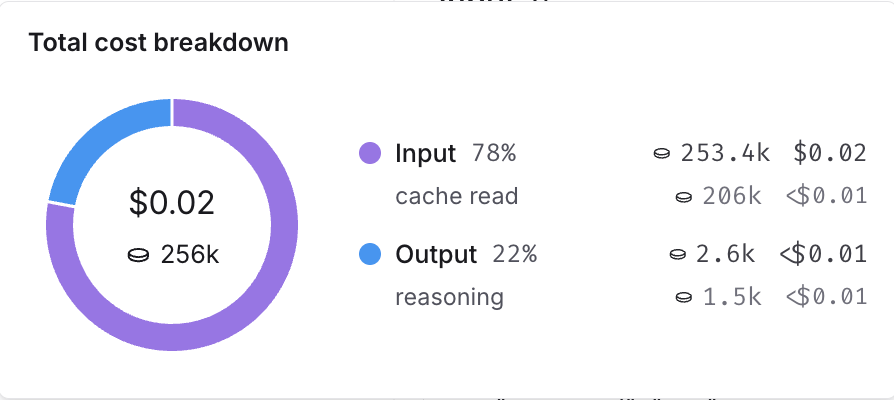
Where to view token and cost breakdowns
In the trace tree
In the trace tree
The trace tree shows the most detailed view of token usage and cost (for a single trace). It displays the total usage for the entire trace, aggregated values for each parent run and token and cost breakdowns for each child run.Open any run inside a tracing project to view its trace tree.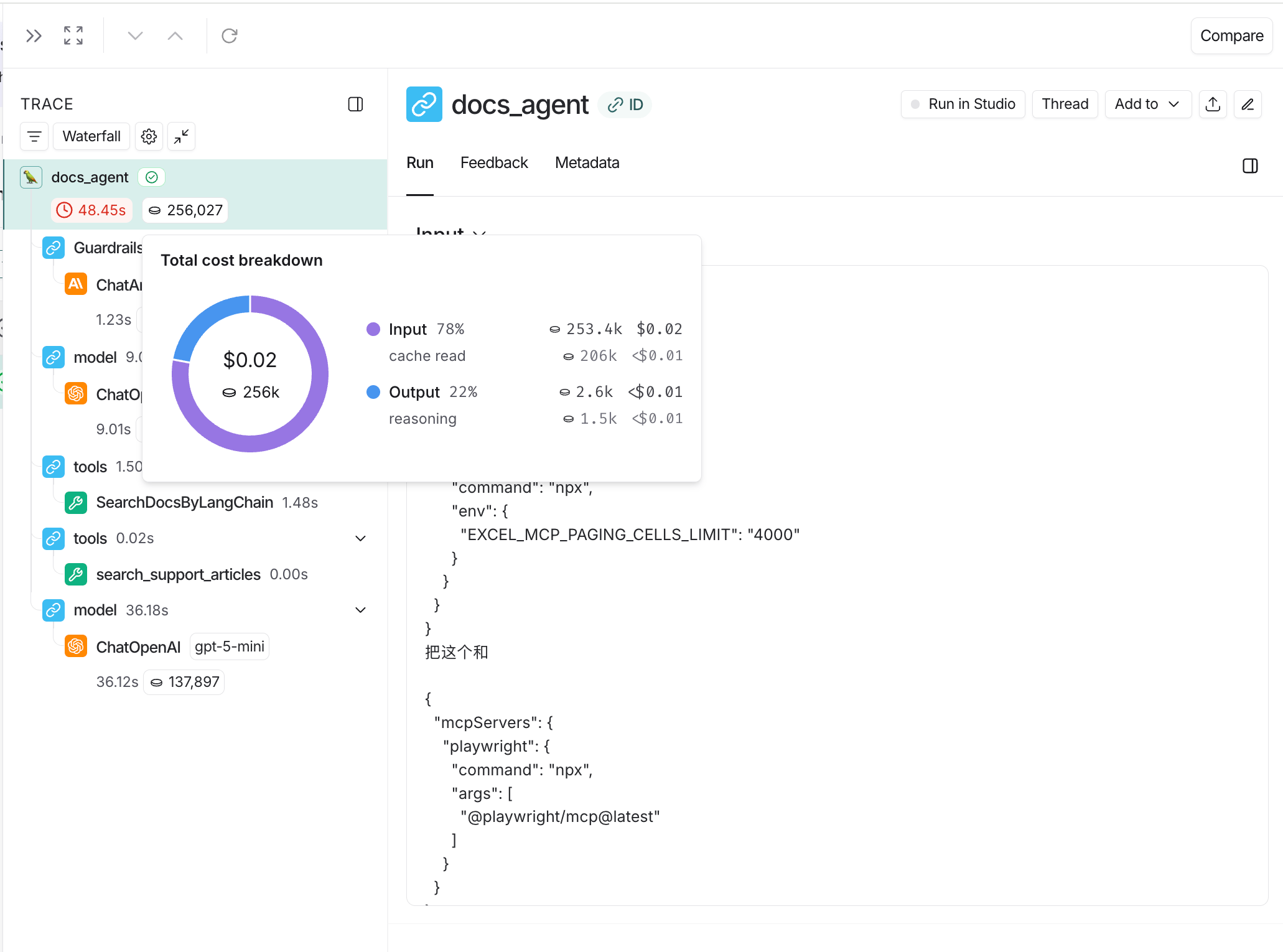
When tracking costs across threads, ensure that all child runs include the thread metadata (
session_id, thread_id, or conversation_id). Without thread metadata on child runs, token counts and costs from those runs won’t be included in thread-level aggregations. Refer to configuring threads for details on setting thread metadata.In project stats
In project stats
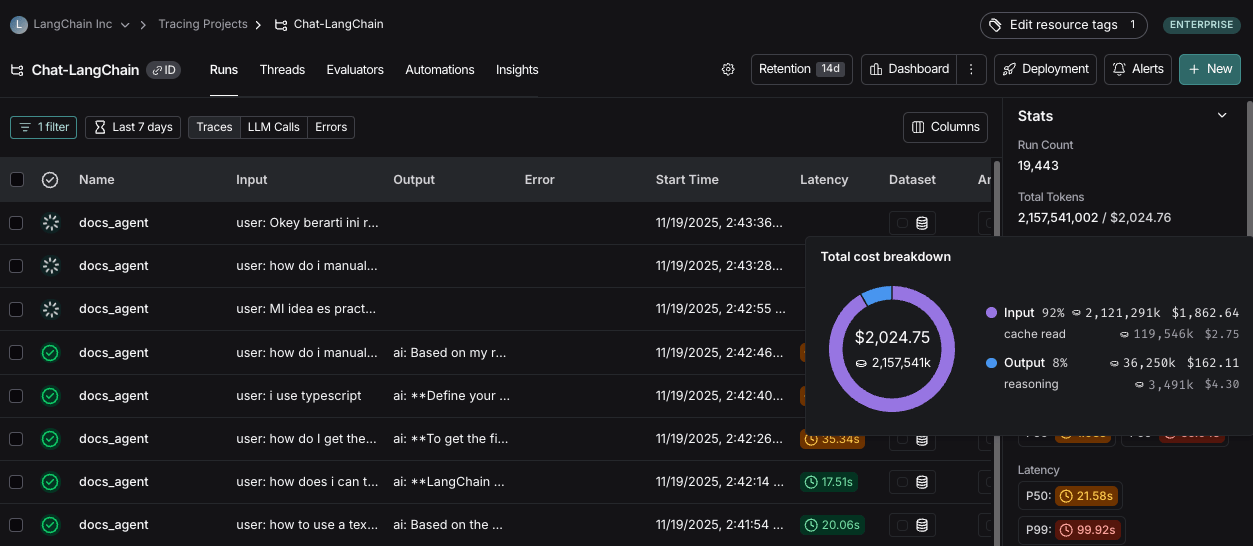
The project stats panel shows the total token usage and cost for all traces in a project.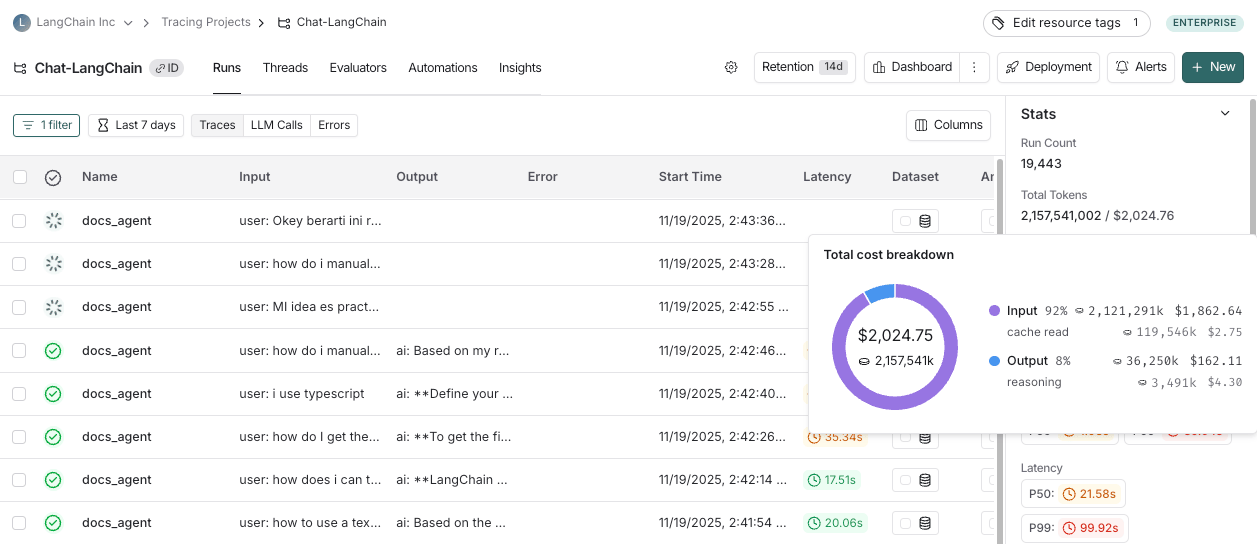
In dashboards
In dashboards
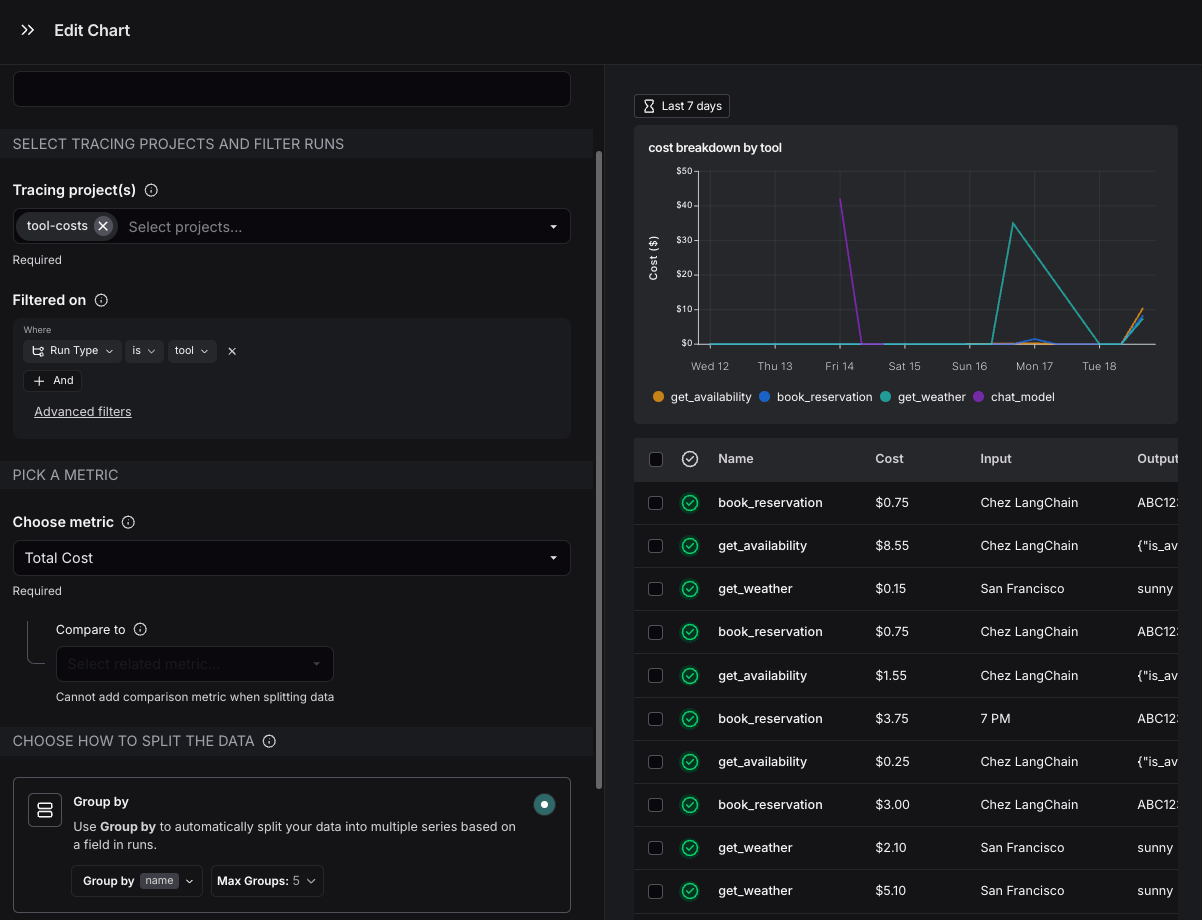
Dashboards help you explore cost and token usage trends over time. The prebuilt dashboard for a tracing project shows total costs and a cost breakdown by input and output tokens.You may also configure custom cost tracking charts in custom dashboards.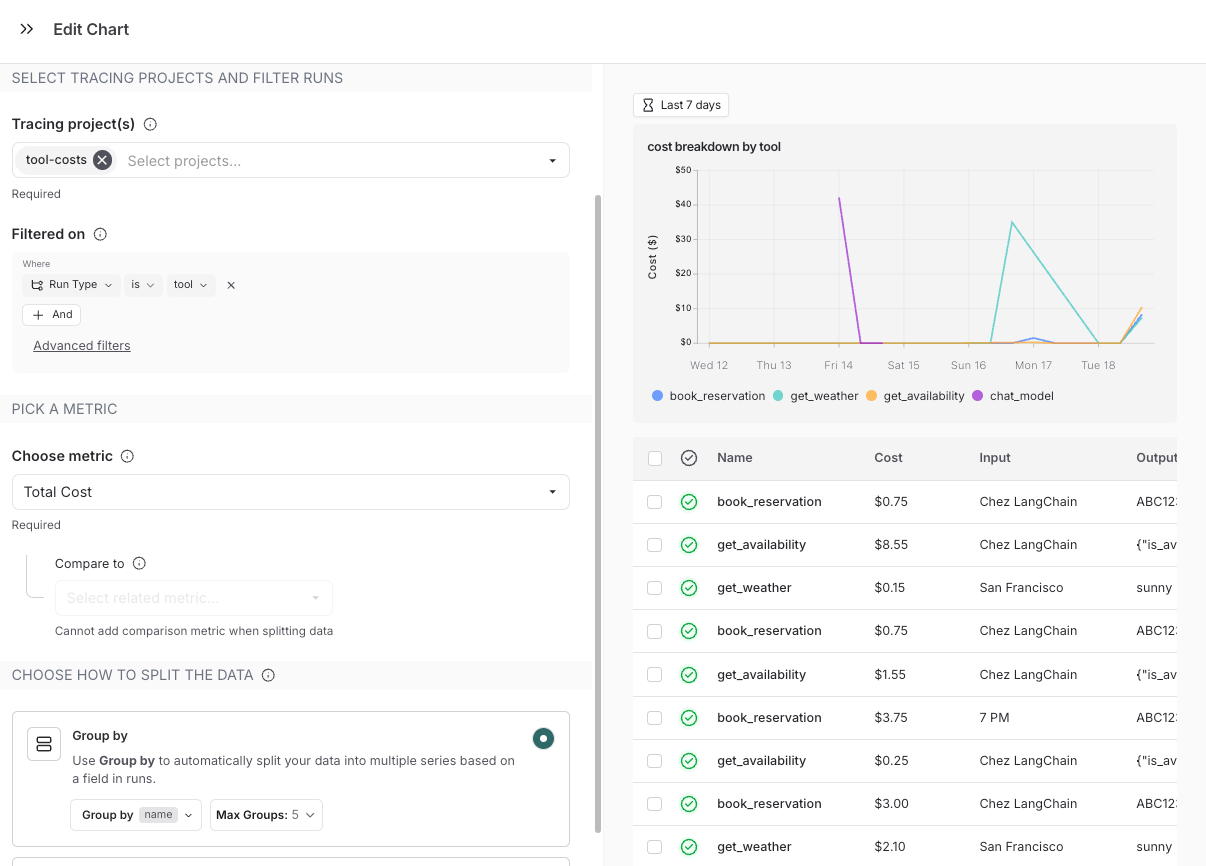
Cost tracking
You can track costs in two ways:- Costs for LLM calls can be automatically derived from token counts and model prices
- Cost for LLM calls or any other run type can be manually specified as part of the run data
LLM calls: Automatically track costs based on token counts
To compute cost automatically from token usage, you need to provide token counts, the model and provider and the model price.Follow the instructions below if you’re using model providers whose responses don’t follow the same patterns as one of OpenAI or Anthropic.These steps are only required if you are not:
A. Set a `usage_metadata` field on the run’s metadata
A. Set a `usage_metadata` field on the run’s metadata
Set a
usage_metadata field on the run’s metadata. The advantage of this approach is that you do not need to change your traced function’s runtime outputsB. Return a `usage_metadata` field in your traced function's outputs.
B. Return a `usage_metadata` field in your traced function's outputs.
Include the
usage_metadata key directly within the object returned by your traced function. LangSmith will extract it from the output.Usage Metadata Schema and Cost Calculation
Usage Metadata Schema and Cost Calculation
The following fields in the Cost CalculationsThe cost for a run is computed greedily from most-to-least specific token type. Suppose you set a price of $2 per 1M input tokens with a detailed price of $1 per 1M Then, the token costs would be computed as follows:
usage_metadata dict are recognized by LangSmith. You can view the full Python types or TypeScript interfaces directly.number
Number of tokens used in the model input. Sum of all input token types.
number
Number of tokens used in the model response. Sum of all output token types.
number
Number of tokens used in the input and output. Optional, can be inferred. Sum of input_tokens + output_tokens.
object
Breakdown of input token types. Keys are token-type strings, values are counts. Example
{"cache_read": 5}.Known fields include: audio, text, image, cache_read, cache_creation. Additional fields are possible depending on the model or provider.object
Breakdown of output token types. Keys are token-type strings, values are counts. Example
{"reasoning": 5}.Known fields include: audio, text, image, reasoning. Additional fields are possible depending on the model or provider.number
Cost of the input tokens.
number
Cost of the output tokens.
number
Cost of the tokens. Optional, can be inferred. Sum of input_cost + output_cost.
object
Details of the input cost. Keys are token-type strings, values are cost amounts.
object
Details of the output cost. Keys are token-type strings, values are cost amounts.
cache_read input tokens, and $3 per 1M output tokens. If you uploaded the following usage metadata:ls_provider: The provider of the model, e.g., “openai”, “anthropic”ls_model_name: The name of the model, e.g., “gpt-4.1-mini”, “claude-3-opus-20240229”
The table comes with pricing information for most OpenAI, Anthropic, and Gemini models. You can add prices for other models, or overwrite pricing for default models if you have custom pricing.
... next to the input/output prices shows you the price breakdown by token type.
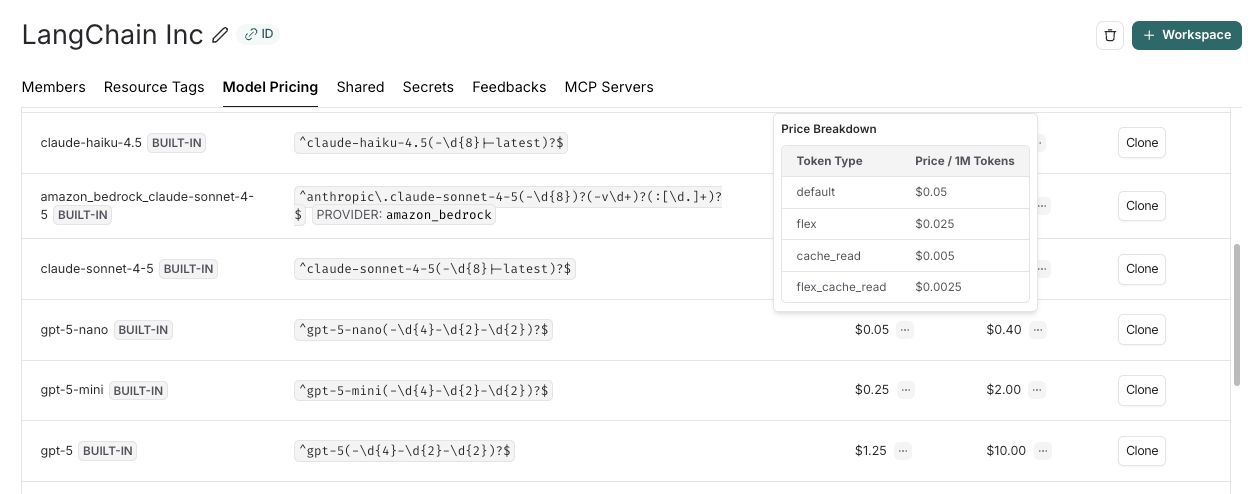
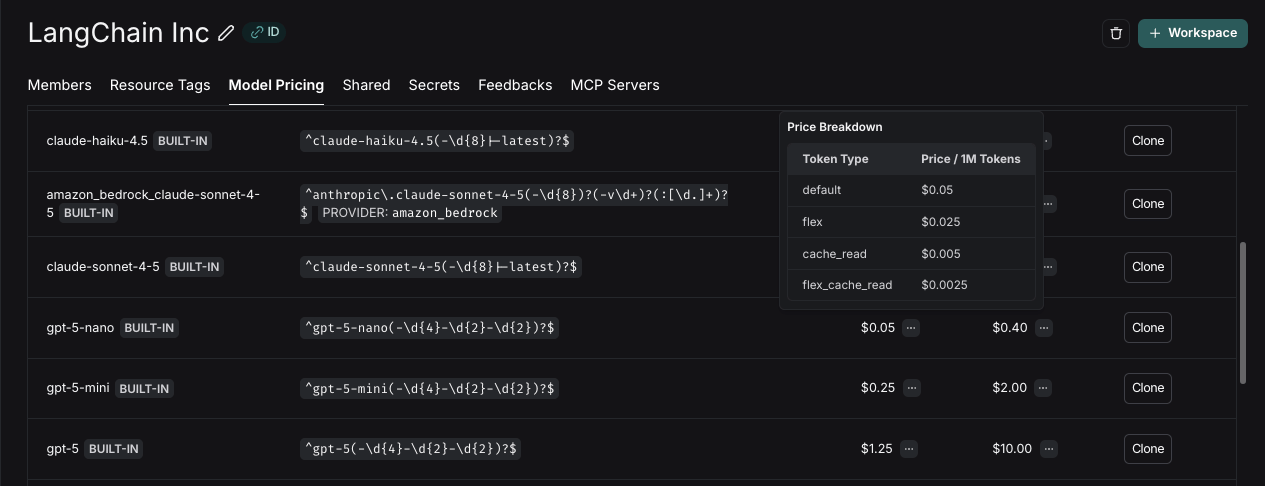
Updates to the model pricing map are not reflected in the costs for traces already logged. We do not currently support backfilling model pricing changes.
Create a new or modify an existing model price entry
Create a new or modify an existing model price entry
To modify the default model prices, create a new entry with the same model, provider and match pattern as the default entry.To create a new entry in the model pricing map, click on the 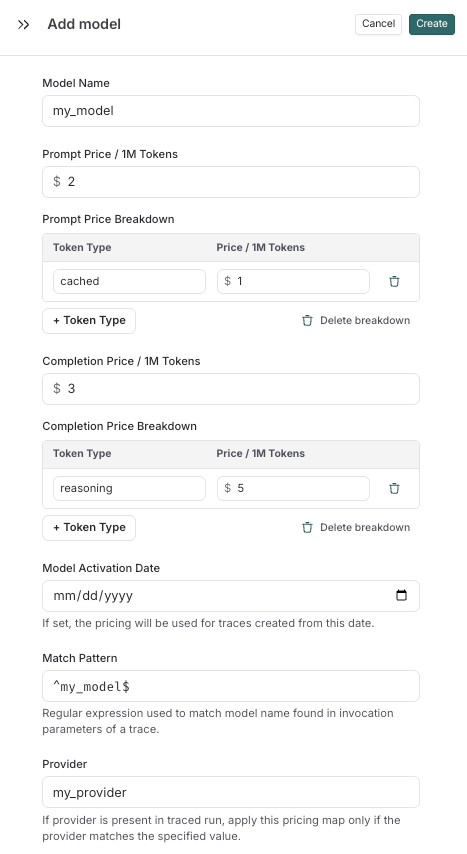
+ Model button in the top right corner.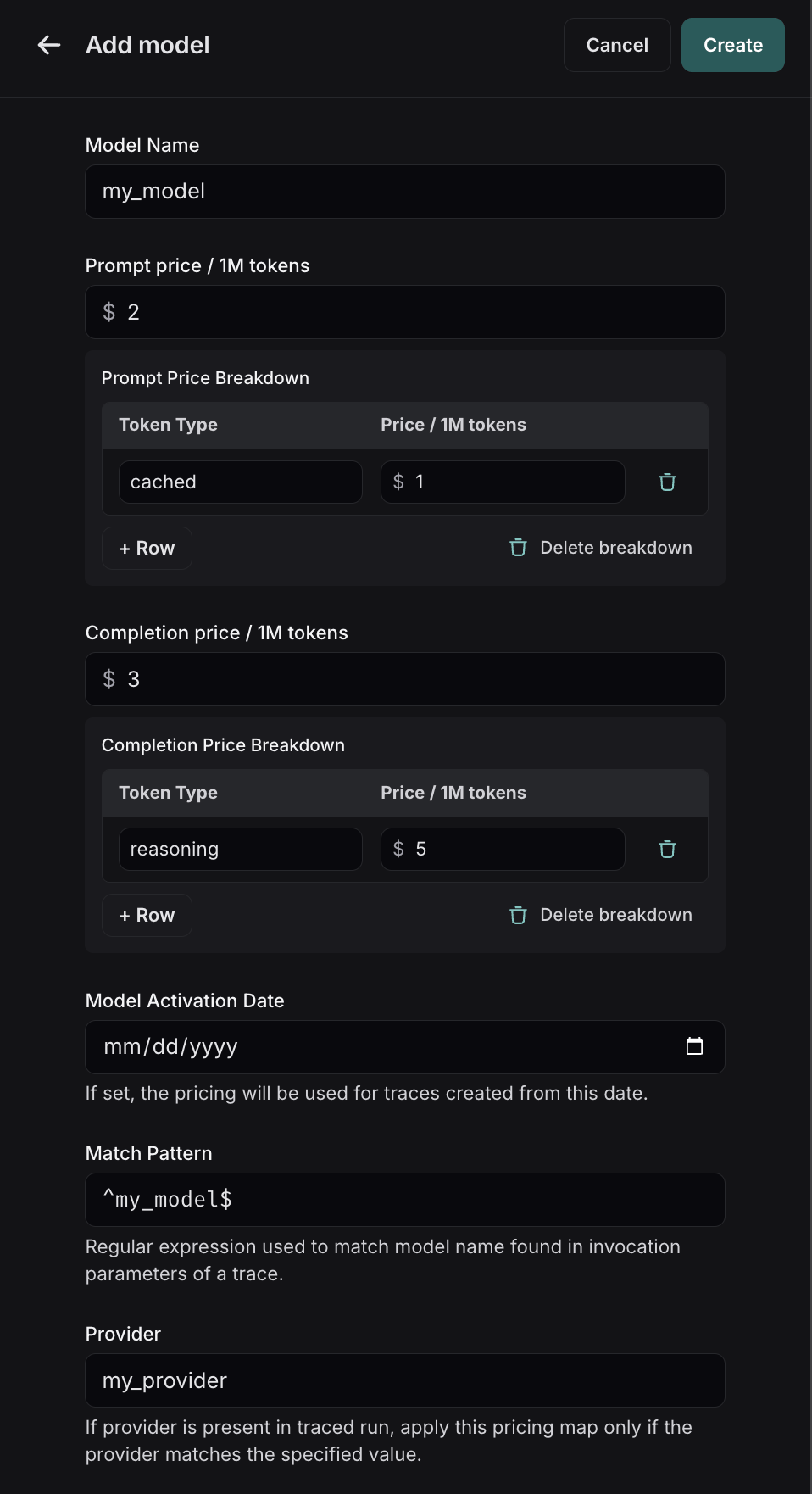
- Model Name: The human-readable name of the model.
- Input Price: The cost per 1M input tokens for the model. This number is multiplied by the number of tokens in the prompt to calculate the prompt cost.
- Input Price Breakdown (Optional): The breakdown of price for each different type of input token, e.g.
cache_read,video,audio - Output Price: The cost per 1M output tokens for the model. This number is multiplied by the number of tokens in the completion to calculate the completion cost.
- Output Price Breakdown (Optional): The breakdown of price for each different type of output token, e.g.
reasoning,image, etc. - Model Activation Date (Optional): The date from which the pricing is applicable. Only runs after this date will apply this model price.
- Match Pattern: A regex pattern to match the model name. This is used to match the value for
ls_model_namein the run metadata. - Provider (Optional): The provider of the model. If specified, this is matched against
ls_providerin the run metadata.
LLM calls: Sending costs directly
If your model follows a non-linear pricing scheme, we recommend calculating costs client-side and sending them to LangSmith asusage_metadata.
Gemini 3 Pro Preview and Gemini 2.5 Pro follow a pricing scheme with a stepwise cost function. We support this pricing scheme for Gemini by default. For any other models with non-linear pricing, you will need to follow these instructions to calculate costs.
Other runs: Sending costs
You can also send cost information for any non-LLM runs, such as tool calls.The cost must be specified in thetotal_cost field under the runs usage_metadata.
A. Set a `total_cost` field on the run’s usage_metadata
A. Set a `total_cost` field on the run’s usage_metadata
Set a
total_cost field on the run’s usage_metadata. The advantage of this approach is that you do not need to change your traced function’s runtime outputsB. Return a `total_cost` field in your traced function's outputs.
B. Return a `total_cost` field in your traced function's outputs.
Include the
usage_metadata key directly within the object returned by your traced function. LangSmith will extract it from the output.